Coach Catalyst Updates June 2026
New features and improvements
Two big upgrades to the web experience this month: a completely rebuilt workout builder, and a new nutrition view that finally shows you what your clients are actually eating, down to the food level.
The Workout Builder, Rebuilt
We rebuilt the entire web workout builder from the ground up. The old version was a cramped slide-out panel squeezed against the side of your screen. The new one is a full-screen workspace built for the way coaches actually program: everything visible, everything editable, and a live preview of exactly what your client sees on their phone, right next to you while you build.
This is the single biggest change to programming on Coach Catalyst, and it's live for every coach today.
Build with the client's phone right next to you. No more building blind. The new builder shows a live mobile preview on the right side of the screen that mirrors exactly what your client will open on their phone: the title, the blocks, every exercise, sets, reps, and details, rendered in real time as you type. It even uses your brand color, so you're previewing your client experience, not a generic one.
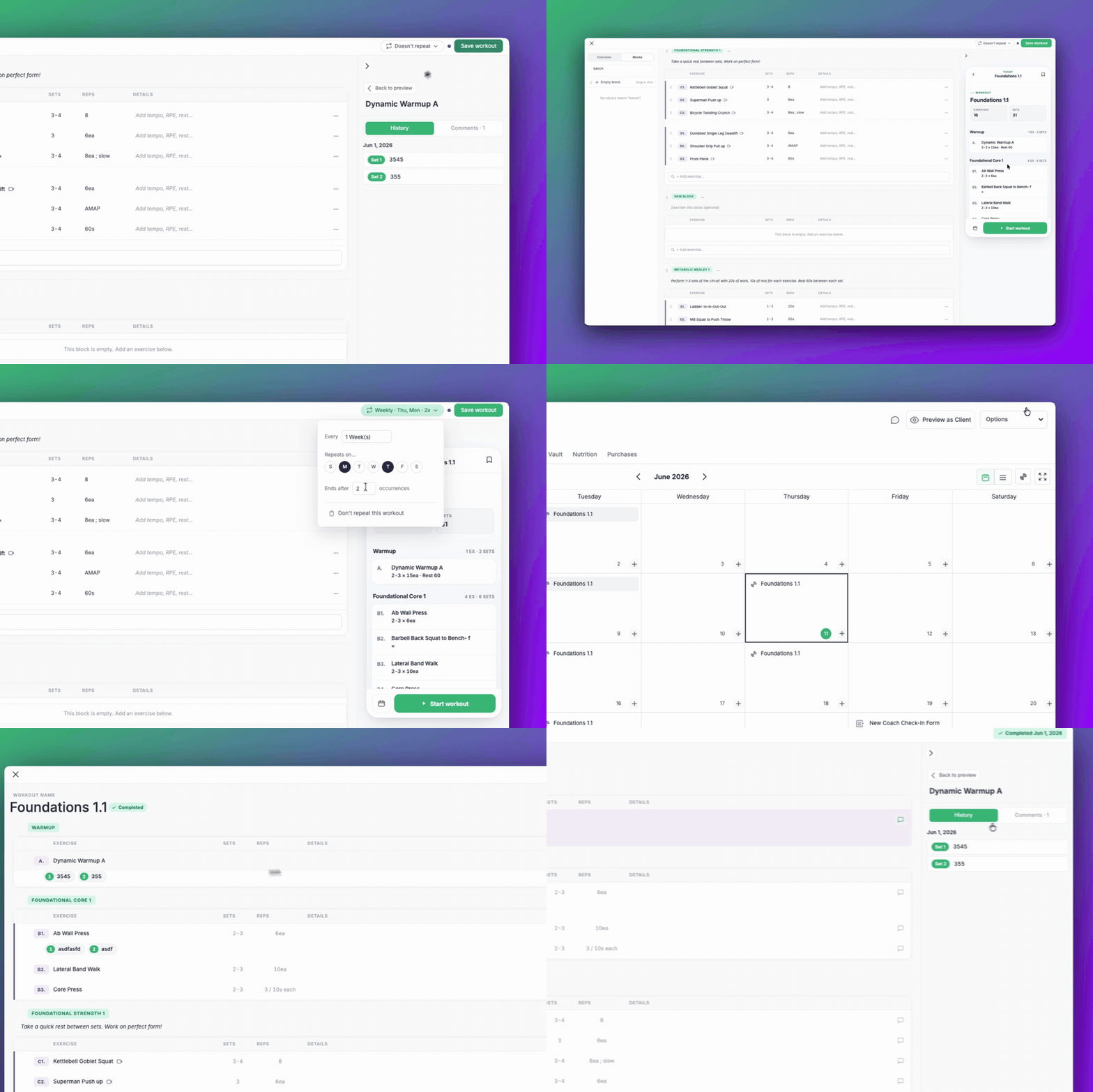
Edit everything inline. No more modals. Workout name, description, block names, sets, reps, exercise details: click and type. That's it. No pop-ups, no separate edit screens, no save-and-reopen. The sets field even cleans itself up so "3x10" and "2-3" always come out formatted right.
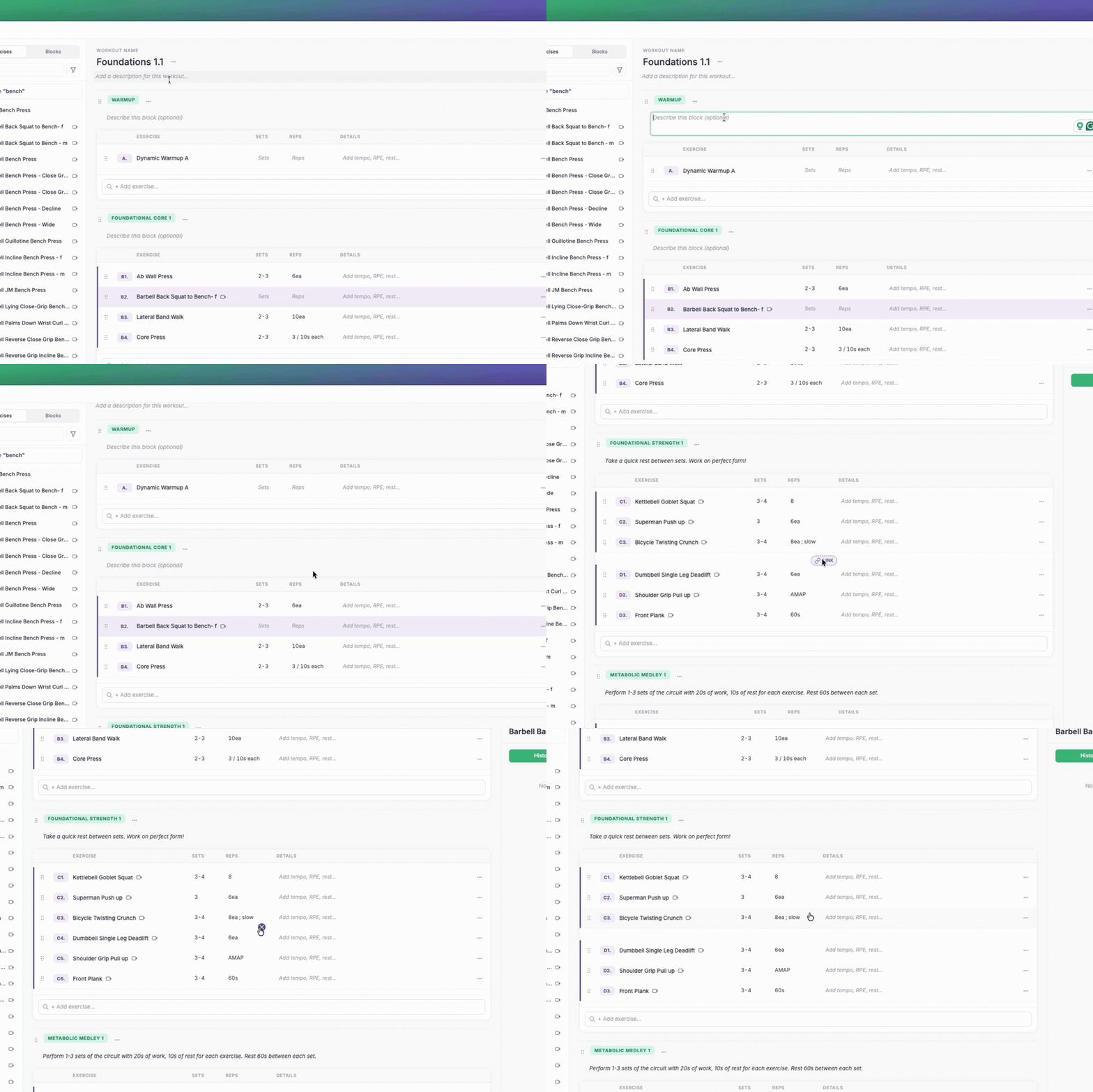
Build circuits with one click. Linking exercises into a superset or circuit used to mean dragging one onto another and hoping it landed. Now there's a single link button between any two exercises. Click it, they're grouped as A1 and A2 with a clear visual marker. Click the X to unlink. Done.
Coach your client without leaving the builder. Click any exercise and the right side flips to that client's history and a comment thread for that exercise. You can see how they performed last time and leave them a note, a cue, or a bit of encouragement right where it matters, without ever opening another tab. Your comments and reactions sync straight to their phone, and theirs come back to you.
The little things that add up:
- Create an exercise as you type. Type a name that isn't in your library and add it in one click. It's saved to your library automatically.
- Watch exercise videos in place. Demo videos now play inside the builder instead of kicking you to a new tab.
- Cleaner drag-and-drop. Drag exercises and blocks exactly where you want them, with clear drop indicators.
- Save with Cmd+S. And if you try to close with unsaved changes, we'll stop you before you lose work.
Open any client, start a workout, and you'll land in the new builder automatically.
A New Nutrition View on the Web
Until now, the nutrition page told you whether a client logged food, and not much else. To see what they actually ate, you were stuck asking for screenshots or logging into their tracker. The new nutrition view puts the full picture inside Coach Catalyst, where your coaching conversation already lives.
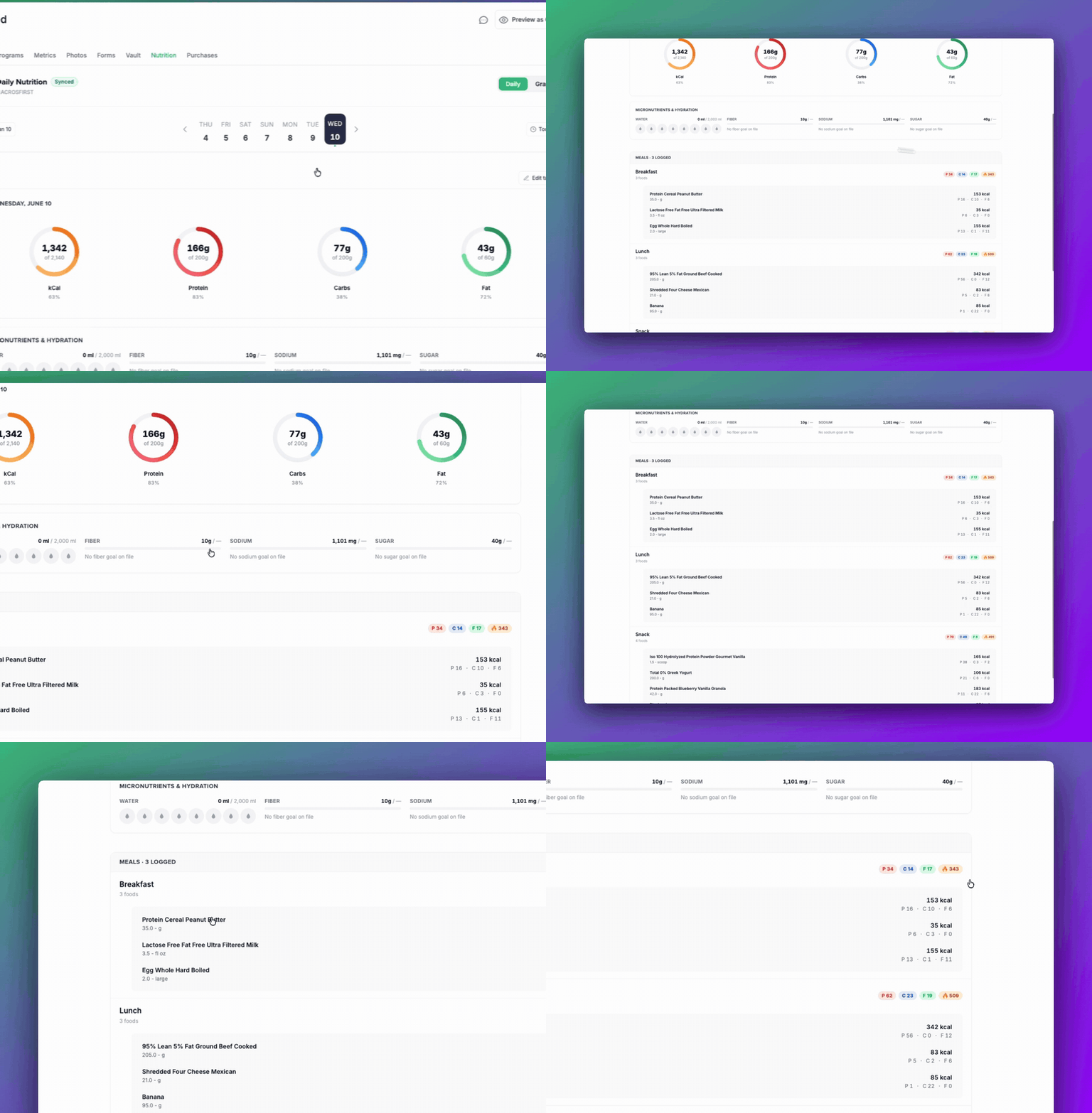
Calories and macros, per meal and per food. Every logged day now breaks down into meals: breakfast, lunch, dinner, snacks. Expand any meal to see each food your client logged, with calories, protein, carbs, and fat for every single item. When a client says "I don't know why the scale isn't moving," the answer is usually in the details. Now you can see them.
Micronutrients and hydration. Macros are only part of the story. The new view also shows fiber, sugar, sodium, and water intake for the day, so you can coach the quality of the diet, not just the quantity. Spotting a fiber gap or a sodium spike takes one glance instead of a back-and-forth message thread.
Works with what your clients already use. All of this flows in from the trackers your clients already log with, like MyFitnessPal and Fitbit. They keep their routine. You get the detail.
Open any client and head to their Nutrition tab to see it in action.
What's Next
The new builder and nutrition view are just the start of a bigger push on the web coaching experience. Build something, dig into a client's food log, and tell us what you think. We're listening.